
Blender Artificial Intelligence: How AI Is Transforming 3D Visualization and Architecture
Artificial intelligence is changing how 3D content is created, but its relationship with Blender is often misunderstood. Blender artificial intelligence does not refer to one tool, one button, or one fully automated production system. It describes a growing combination of generative AI platforms, machine-learning-assisted rendering features, Blender extensions, Python automation, computer vision, language-model agents, and external applications that connect with a controlled Blender scene.
For architects, developers, visualization studios, interior designers, contractors, and project owners, the distinction matters. AI can accelerate ideation, generate preliminary assets, assist with scripting, develop textures, reduce rendering noise, and support post-production. Blender provides the structured three-dimensional environment needed to control geometry, materials, lighting, cameras, animation, and spatial relationships.
The most effective workflow is therefore not AI instead of Blender. It is AI working within and around Blender under professional direction.
As a design-led visual intelligence studio, RENDEREXPO approaches artificial intelligence in this broader context. AI may accelerate selected tasks, but architectural understanding, model control, visual judgment, project accuracy, and human-led quality control remain essential when an image is used for design review, development presentations, approvals, marketing, construction communication, or stakeholder decisions.
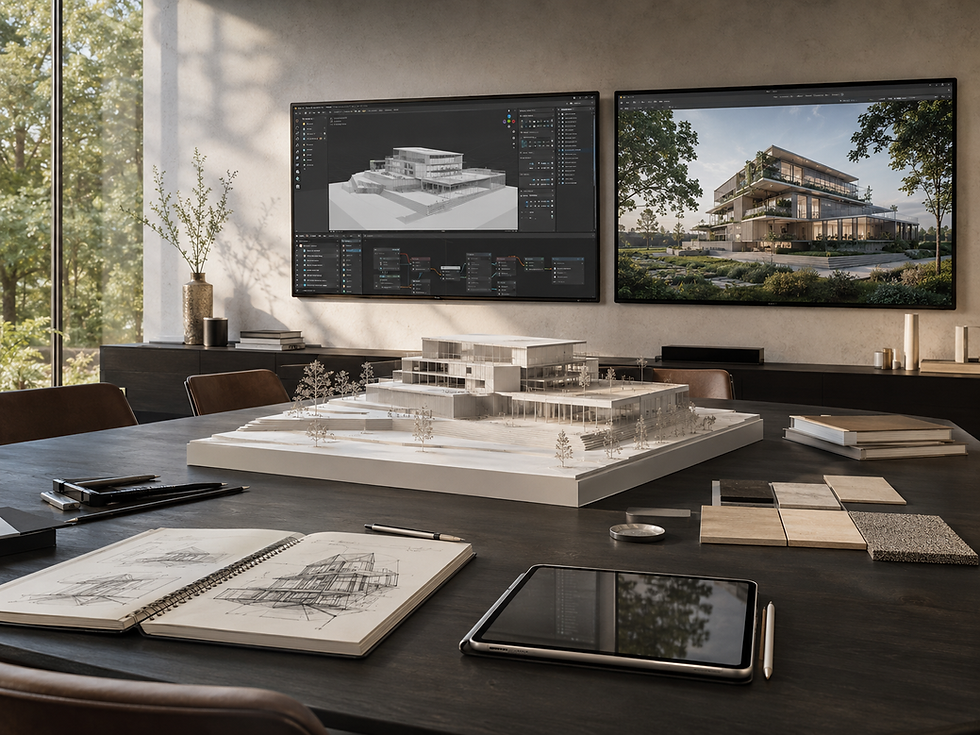
What Is Blender Artificial Intelligence?
Blender artificial intelligence is the use of AI-assisted technologies to create, modify, automate, render, analyze, or enhance content associated with Blender.
These technologies generally fall into several categories:
AI-assisted rendering and denoising
Text-to-3D and image-to-3D asset generation
Natural-language control of Blender functions
AI-generated Python scripts
Procedural modeling assistance
Texture and material generation
Image enhancement and upscaling
Automated masking and object recognition
Reference-image analysis
Animation and rigging assistance
Generative post-production
Scene review and error detection
Blender remains a complete open-source 3D creation platform with modeling, sculpting, animation, compositing, simulation, scripting, real-time visualization, and physically based rendering capabilities. Cycles provides path-traced rendering, while Blender’s Python API and extension architecture allow outside systems to automate or expand the software’s functions.
As of August 2026, Blender 5.2 LTS is the current long-term-support release. However, Blender does not operate as a single native generative-AI platform. Most generative capabilities enter through extensions, external applications, Python scripts, API connections, or AI systems that create Blender-compatible data.
This distinction separates Blender AI workflows from prompt-only image generation. A generated image may look convincing without containing a usable 3D environment. A Blender scene can contain editable geometry, defined cameras, reusable materials, animation paths, object hierarchies, lighting systems, render layers, and project-specific spatial relationships.
For a broader explanation of this distinction, see RENDEREXPO’s analysis of AI versus CGI in architectural visualization.
How Artificial Intelligence Is Used in Blender
1. AI-Assisted Rendering and Denoising
Rendering is one of the most computationally demanding stages of a 3D workflow. A physically based render may require many samples to resolve reflections, indirect lighting, transparent materials, shadows, and low-light conditions without visible noise.
AI-assisted denoising estimates a cleaner final image from a lower-sample render. Blender’s compositor includes a denoise node using Intel Open Image Denoise, which can reduce visible noise and help teams reach usable results with fewer rendering samples. The output must still be reviewed carefully, particularly around fine geometry, glazing, foliage, repeated patterns, and small light sources.
For architectural visualization, denoising can support:
Faster lighting tests
More efficient material reviews
Quicker camera approvals
Reduced preview-render times
Improved animation testing
Faster comparison of design alternatives
It does not eliminate the need for scene optimization. Excessive geometry, oversized textures, unnecessary subdivisions, inefficient modifiers, and poorly structured assets can still make a scene slow or unstable.
A complete production pipeline should address those issues before relying on artificial intelligence. RENDEREXPO’s guide to 3D modeling and rendering explains how model preparation, materials, cameras, lighting, rendering, and review work together.
2. Natural-Language Control and AI-Generated Blender Scripts
Blender can be controlled through Python. This makes it possible for language models and AI agents to translate written instructions into executable Blender operations.
A user might request:
Create a repeated façade panel system
Rename objects based on their collections
Place lights at predefined coordinates
Generate cameras at specified intervals
Apply materials to selected object categories
Produce render variations automatically
Export multiple views using a naming convention
Generate a procedural landscape distribution
Build a simple massing model from defined dimensions
The AI does not manipulate Blender through intuition. It interprets the instruction, writes or selects operations, and executes them through Blender’s scripting environment or an integration layer.
Recent research has demonstrated systems that use language models to generate Blender Python code, organize 3D scenes, refine geometry, and reconstruct editable environments. These studies indicate a promising direction for human-AI collaboration, but experimental success should not be confused with dependable architectural production. Generated scripts can contain errors, inefficient logic, incorrect dimensions, unintended object changes, or unsafe operations if they are executed without review.
For professional work, AI-generated code should be:
Tested on a duplicate file.
Reviewed before execution.
Limited to clearly defined tasks.
Checked for unintended changes.
Documented so the process can be repeated.
Approved by someone who understands the scene structure.
3. Text-to-3D and Image-to-3D Generation
Text-to-3D tools attempt to generate a three-dimensional asset from a written description. Image-to-3D tools use one or more reference images to estimate form, texture, and depth.
These tools can be valuable for producing preliminary objects such as:
Furniture placeholders
Decorative accessories
Rocks and landscape elements
Sculptural forms
Background objects
Conceptual equipment
Low-priority entourage
Early massing components
The resulting models may be imported into Blender as meshes or common interchange formats. However, AI-generated assets frequently require cleanup.
Typical problems include:
Irregular topology
Excessive polygon counts
Distorted back surfaces
Inconsistent symmetry
Embedded texture artifacts
Incorrect physical scale
Unusable UV mapping
Thin or non-manifold geometry
Materials that do not respond correctly to light
Details that appear correct from only one viewpoint
For a distant background object, these defects may be acceptable. For a close-up furniture item, façade component, mechanical unit, product, or construction assembly, they may be unacceptable.
The decision should be based on the object’s role in the final communication. AI can generate a visual approximation quickly, but it does not automatically produce a verified architectural component.
4. AI-Generated Materials and Textures
Material development is another practical use of artificial intelligence in Blender.
AI tools may help create or derive:
Diffuse or base-color maps
Roughness maps
Normal maps
Displacement information
Decorative patterns
Weathering variations
Surface imperfections
Fabric textures
Stone and wood studies
Conceptual material palettes
This can accelerate early visual exploration, particularly when the design team is comparing broad material directions.
However, architectural materials must do more than resemble a reference photograph. They should reflect correct scale, repeat, orientation, edge behavior, reflectivity, roughness, translucency, displacement, and installation logic.
An AI-generated stone texture might look convincing while containing an impossible joint pattern. A wood texture may include inconsistent grain direction. A masonry image may not correspond to a realistic module. A metal panel may appear weathered in ways that do not match the proposed finish.
AI-generated textures should therefore be treated as source material, not automatically as finished project documentation.
5. Procedural Modeling and Geometry Nodes
Blender’s Geometry Nodes system is procedural rather than inherently generative AI, but it becomes especially powerful when combined with AI-assisted scripting and natural-language tools.
Geometry Nodes can be used to develop repeatable systems for:
Façade panels
Louvers
Ceiling elements
Landscape scattering
Roadside vegetation
Furniture distributions
Site elements
Lighting arrays
Cable systems
Parametric patterns
Repeated structural components
Controlled randomization
Procedural systems preserve editability. Instead of manually placing hundreds of objects, the visualization team defines rules that control spacing, density, scale, orientation, and variation.
AI can help write the first version of a node strategy, explain an unfamiliar node, identify a logic problem, or generate Python that constructs part of the node graph. The professional user still needs to determine whether the underlying rules represent the design correctly.
Blender’s documentation notes that Geometry Nodes can process substantial amounts of information, but performance depends on how node trees and geometry are structured. Baking intermediate results and using instances strategically can improve efficiency.
Where Blender AI Creates Value for Architecture
Early Concept Visualization
AI can accelerate the earliest stage of a design conversation.
A simple Blender massing scene can establish:
Building proportions
Camera location
Horizon
Site relationships
Major openings
Landscape zones
Sun direction
Foreground and background elements
The scene can then guide an external generative system to explore façade character, atmosphere, landscape density, material families, or visual style without surrendering all control over composition.
This is more dependable than generating an architectural image from text alone because the Blender scene provides a spatial framework.
The output should still be labeled as conceptual. It may contain details that have not been coordinated, designed, priced, engineered, or approved.
Architectural Renderings
Blender can support controlled architectural visualization, CGI, and animation for exterior renderings, interiors, aerial images, 3D floor plans, animations, and visual presentations.
AI can assist around that controlled foundation by helping with:
Initial visual references
Material alternatives
Landscape studies
Sky replacements
Noise reduction
Image masks
Background refinement
Entourage studies
Resolution enhancement
Minor image variations
The underlying Blender scene remains important because it allows the visualization team to revise a specific window, camera, material, light, furnishing, landscape element, or façade component without regenerating the entire project.
Interior Design Visualization
Interior scenes often contain hundreds of assets, materials, fixtures, lights, and decorative details. Artificial intelligence can help locate or generate preliminary assets, test finish combinations, create texture studies, and automate repetitive scene-organization tasks.
Professional review remains critical because interiors are highly sensitive to:
Furniture dimensions
Clearances
Accessibility
Fixture placement
Lighting temperatures
Material scale
Ceiling coordination
Reflections
Product accuracy
Camera distortion
A polished image may hide a plan that does not work. Blender AI should support spatial design communication, not replace the work of architects and interior designers.
Animation and Walkthroughs
A controlled Blender scene can support camera animation, object movement, construction sequences, lighting transitions, and environmental effects.
AI may assist with:
Generating preliminary camera paths
Scripting repetitive animation tasks
Interpolating or enhancing frames
Removing noise
Creating voiceover drafts
Organizing render passes
Producing alternate edit lengths
Generating captions or shot descriptions
Consistency becomes particularly important in animation. A visual artifact that is barely noticeable in one still frame may become distracting when it changes from frame to frame.
For this reason, final architectural animation should generally rely on a coherent 3D scene rather than a sequence of independently generated images.
Construction and Phasing Visualization
Blender may also be used to create model-based explanations of site logistics, construction stages, temporary conditions, installation sequences, and project phasing.
AI can help script object visibility, organize timeline states, automate camera exports, or produce narration and presentation summaries. It should not determine construction logic independently.
Construction sequencing must be based on actual schedules, access requirements, safety planning, consultant information, procurement constraints, and contractor input.
RENDEREXPO’s digital construction and digital twin services connect model-based visual communication with phasing, sequencing, BIM communication, progress visualization, clash-explanation support, and digital twin strategy.
Data Center and Industrial Visualization
Data centers and industrial facilities contain infrastructure relationships that cannot be reduced to visual appearance.
A presentation may need to communicate:
Building placement
Secure circulation
Utility corridors
Substations
Generator yards
Cooling infrastructure
Equipment zones
Construction phases
Expansion capacity
Commissioning stages
Operational access
AI may make production faster, but the visual foundation must remain tied to project data.
RENDEREXPO provides dedicated data center development support and visualization for campus visuals, zoning exhibits, phasing studies, utility coordination graphics, commissioning communication, and investor presentations.
GIS and Spatial Communication
Blender-generated geometry can also contribute to broader site and spatial communication workflows.
Building models, site context, terrain, parcel information, utility corridors, and infrastructure may need to connect with geospatial data rather than remain isolated in a visualization scene.
RENDEREXPO’s indoor GIS, outdoor GIS, and spatial mapping systems connect BIM, CAD, IFC, floor plans, site information, utilities, parcels, infrastructure, and environmental layers with usable spatial systems.
AI can assist with classification and data preparation, but spatial accuracy, coordinate systems, source reliability, and data governance still require specialized review.
What Blender Artificial Intelligence Cannot Reliably Replace
Verified Project Geometry
AI can estimate form. It cannot be assumed to reproduce the exact geometry contained in architectural drawings, coordinated BIM files, surveys, consultant models, or approved design documents.
BIM Authoring and Construction Documentation
Blender is a powerful visualization and content-creation platform, but it should not be treated as a substitute for the BIM, CAD, engineering, code-analysis, specification, and documentation platforms required by a project team.
Architectural Judgment
Artificial intelligence does not automatically understand why a façade module aligns with a structural bay, why a corridor requires a certain width, how waterproofing transitions at a threshold, or why equipment needs maintenance clearance.
Multi-View Consistency
A generated image may look successful from one viewpoint while failing to maintain the same architecture from another. Openings, floor counts, materials, landscape, and building proportions may change between outputs.
A structured Blender scene is more reliable when multiple coordinated images, animations, floor plans, or immersive views are required.
Controlled Revisions
Prompt-based changes can alter more than the requested element. A material revision may also change geometry, openings, landscaping, furniture, or lighting.
In a Blender scene, individual components can be isolated and revised deliberately.
For a deeper discussion of controlled alternatives, see AI slight image variation for architecture.
Professional Responsibility
AI output does not verify code compliance, constructability, engineering performance, accessibility, cost, procurement, planning requirements, or client approval.
The final responsibility remains with the appropriate architects, engineers, consultants, contractors, owners, and project decision-makers.
A Professional Blender AI Workflow for Architectural Visualization
Step 1: Define the Communication Objective
Before choosing an AI tool, determine what the final asset must accomplish.
Is it intended for:
Internal concept review?
Client approval?
Investor communication?
Planning or entitlement?
Real estate marketing?
Leasing or sales?
Construction coordination?
Public presentation?
Phasing or sequencing?
Digital twin planning?
A workflow for rapid ideation should not be used without modification for an approval submission or construction presentation.
Step 2: Review the Source Information
Collect and evaluate the available project files:
BIM or Revit models
CAD drawings
SketchUp or Rhino models
Floor plans, elevations, and sections
Site plans and surveys
Material schedules
Landscape information
Interior-design packages
Equipment data
Photographs and references
Presentation requirements
Identify which information is verified, which is preliminary, and which must be assumed.
Step 3: Establish a Controlled Blender Scene
Prepare the core model before applying generative tools.
The scene should have:
Correct units and scale
Organized collections
Clear object names
Efficient geometry
Logical material assignments
Approved cameras
Defined lighting
Managed external assets
A repeatable file structure
Backup and version control
This controlled foundation makes future revisions more dependable.
Step 4: Use AI for Bounded Exploration
Apply AI where interpretation is acceptable.
Examples include:
Testing broad material families
Comparing landscape character
Studying atmosphere
Exploring presentation styles
Developing preliminary entourage
Generating conceptual furniture
Producing early post-production directions
Avoid allowing speculative output to overwrite approved architectural information.
Step 5: Apply AI to Repetitive Production Tasks
Use AI assistance for tasks that can be checked objectively:
Writing naming scripts
Organizing objects
Generating render cameras
Creating export routines
Building repetitive geometry
Preparing material variations
Producing masks
Denoising previews
Drafting shot lists
Documenting scene structure
Save a duplicate before running generated scripts or extensions.
Step 6: Render From the Controlled Scene
Use Blender’s rendering engines according to the required balance of speed, realism, hardware, and deliverable type.
Cycles may be appropriate for high-quality path-traced stills and animation. Real-time workflows may be useful for previews, interactive reviews, or projects with rapid iteration requirements.
Artificial intelligence can reduce noise or enhance selected output, but it should not compensate for poor lighting, incorrect materials, ineffective cameras, or disorganized geometry.
Step 7: Complete Human-Led Quality Control
Every professional output should be reviewed for:
Geometry
Scale
Materials
Camera perspective
Lighting
Landscape
Context
Reflections
Signage
Furniture
Equipment
Accessibility implications
Visual artifacts
Consistency across views
Alignment with design intent
Suitability for the intended audience
This is where professional visualization differs from automated image generation.
Readers can review RENDEREXPO’s work portfolio and design case studies for examples of project-focused visual communication.
Blender AI Versus Prompt-Only Architectural Rendering
Requirement | Prompt-Only AI | Blender With AI Assistance |
Rapid concept generation | Strong | Strong |
Exact project geometry | Limited | Controllable |
Material revision | Potentially unpredictable | Object-specific |
Multiple camera views | Inconsistent | Coordinated |
Animation | Limited continuity | Structured |
3D asset reuse | Usually limited | Strong |
Phasing visualization | Difficult to verify | Model-based |
Camera and lens control | Approximate | Precise |
Construction communication | High risk without verification | Suitable with project data |
Human quality control | Required | Required |
The comparison does not mean Blender is always the better tool for every early sketch. Prompt-based AI can be highly effective for rapid exploration. The appropriate method depends on the decision the image is expected to support.
RENDEREXPO’s article on AI versus human designers examines why technological speed and professional judgment should be treated as complementary rather than competing capabilities.

Risks and Governance Considerations
Confidential Project Information
Teams should understand where project files, images, prompts, scripts, and models are being processed. Confidential drawings or client information should not be uploaded to outside platforms without authorization and an appropriate review of the service’s data terms.
Add-On and Script Security
A Blender extension or AI-generated script can modify files, access folders, install dependencies, or perform unintended operations.
Use trusted sources, review permissions, test on copies, and maintain backups.
Licensing and Commercial Use
The terms governing an AI platform, generated asset, texture, training source, model, extension, or stock library may differ. Teams should review the relevant commercial-use and attribution requirements rather than assuming every output has identical rights.
Visual Misrepresentation
A photorealistic image can appear authoritative even when it includes unapproved or impossible design information.
Concept studies should be identified clearly, particularly when presented to clients, investors, reviewers, or the public.
Workflow Dependency
An AI-dependent pipeline can become vulnerable if a service changes its pricing, output format, API, licensing terms, model behavior, or availability.
Professional studios should preserve editable source files and avoid making the long-term project archive dependent on one external platform.
The Future of Blender and Artificial Intelligence
The direction of Blender artificial intelligence is moving toward more interactive and agentic systems.
Instead of generating only a finished image, emerging systems can:
Analyze a reference
Plan a scene
Write Blender code
Generate geometry
Assign materials
Establish lighting
Render a preview
Evaluate the result
Revise the scene
Preserve editable outputs
Research into executable inverse graphics has demonstrated the reconstruction of images as editable Blender programs, progressively refining geometry, composition, materials, and lighting. This is significant because an editable scene has greater long-term value than a flattened image.
The technology is promising, but the future of professional architectural visualization is unlikely to be fully automated.
Architecture contains incomplete information, conflicting objectives, technical constraints, subjective decisions, contractual responsibilities, site conditions, planning requirements, construction realities, and human priorities. These cannot be resolved by visual probability alone.
The strongest future workflow will combine:
AI speed
Procedural systems
Controlled 3D models
BIM and project data
Architectural judgment
Visual storytelling
Human-led review
RENDEREXPO’s About page describes this position as technology-driven but architecturally grounded: advanced tools create value when they are guided by design understanding, technical awareness, and a clear communication objective.
Frequently Asked Questions
Does Blender have artificial intelligence?
Blender includes machine-learning-assisted capabilities such as denoising, but it is not primarily a native generative-AI platform. Most Blender AI workflows use extensions, external AI services, Python scripts, language-model integrations, or imported AI-generated assets.
Can AI create 3D models for Blender?
Yes. Text-to-3D and image-to-3D systems can generate models that are imported into Blender. The models often require scale correction, retopology, UV cleanup, material adjustment, geometry repair, and professional review before they are suitable for close-up or project-specific use.
Is Blender AI useful for architecture?
Yes, particularly for early concepts, procedural modeling, scripting, texture studies, asset generation, denoising, post-production, and repetitive scene tasks. Verified architectural geometry, code analysis, engineering, BIM documentation, and construction coordination still require professional tools and oversight.
Can Blender AI create photorealistic architectural renderings?
AI can accelerate several parts of the process, but photorealism depends on more than generation. Accurate geometry, credible materials, proper lighting, camera composition, context, detailing, rendering, and quality control are still required.
Can artificial intelligence replace Blender artists?
AI can automate or accelerate selected tasks, but it does not replace the judgment required to interpret drawings, organize complex scenes, preserve design intent, control revisions, maintain consistency, communicate architecture, and identify visual or technical errors.
Can AI convert a floor plan into a Blender model?
AI systems may create preliminary geometry from a floor plan, but the result should not be assumed to contain correct dimensions, wall assemblies, floor elevations, doors, windows, structure, accessibility, or building systems. It can be a starting point, not verified documentation.
What is the best way to use AI with Blender?
Use AI for clearly bounded tasks while keeping geometry, source data, scene organization, revisions, and final quality control under human supervision. The closer a project moves toward approval, marketing, construction, or operations, the more important a controlled and traceable 3D workflow becomes.

Conclusion: Blender Artificial Intelligence Works Best as a Hybrid System
Blender artificial intelligence is not one replacement technology. It is a collection of tools and methods that can make modeling, scripting, material development, rendering, post-production, scene organization, and visual exploration more efficient.
Its greatest value appears when AI is connected to a controlled Blender environment.
AI can generate possibilities. Blender can structure those possibilities as editable geometry, materials, lighting, cameras, animations, and reusable digital assets. Professional judgment determines which information is credible, which details need correction, and whether the final output is appropriate for the decision it is intended to support.
For architects, developers, construction teams, interior designers, real estate companies, industrial clients, and data center owners, the objective should not be to automate every task. It should be to create a more efficient visual process without sacrificing accuracy, consistency, control, or architectural credibility.
RENDEREXPO’s complete service platform combines architectural visualization, CGI, animation, digital construction, digital twin strategy, data center development visualization, GIS mapping, and AI-enhanced creative workflows.
Additional technical and visualization resources are available through the RENDEREXPO blog.
For a project requiring architectural renderings, animation, aerial visualization, 3D floor plans, construction visualization, investor presentations, or an AI-assisted visual workflow, contact RENDEREXPO to discuss the available project information, intended audience, and required deliverables.


Comments